 3
3 3
3 6
6 3
3 6
6 4
4 3
3 3
3 3
3 2
2 6
6 3
3 3
3 3
3 3
3 3
3 3
3 3
3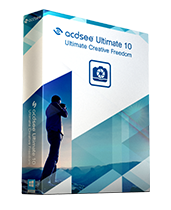
ACD See Ultimate 10.2.873 (x64)

Ultimate Creative Freedom.
As an all-in-one digital asset manager and editor with layers, ACDSee Ultimate 10 boldly proclaims that you no longer need to purchase and run multiple applications to achieve your organizational and image editing goals.
Combining GPU-accelerated adjustment layers, RAW editing, hundreds of filters and adjustments, and workflow-expediting tools perfected over decades, ACDSee Ultimate 10 makes it easy to create professional-grade photography, original advertising, innovative graphics, and powerful art imagery.
Top Features:
Develop Mode:
Perform a wide range of parametric adjustments in Develop mode, specifically designed as a RAW conversion environment, allowing you to create instructions for adjustments, rather than adjusting the pixels themselves. Work on RAW, JPEG, and other image formats.
Develop Mode Special Effects:
Parametrically add color overlays and photo effects to your images, and map colors to shadows and highlights respectively. Tweak how effects interact with the image by adjusting opacity and utilizing any of two dozen blend modes.
Digital Asset Management:
Add ratings, hierarchical keywords, categories, and location data to your images. Quickly identify photos for further processing with visual tags or customizable color labels.
Non-Destructive Editing with Adjustment Layers:
With the Layered Editor as your center for visionary parametric photo manipulation, you can add layers specifically built to achieve individual adjustments, with the ability to retouch them at any point. With a number of lighting, color, special effects, clarity, and detail-oriented adjustment layers added, you are well-equipped to fearlessly innovate.
Automate with Ease:
Save your precious time on repetitive tasks by recording any steps you make in Edit mode and applying them to other images, essentially recreating an entire editing process with a single click. Export your recordings to as many files as you like in an array of file types.
Distortion Doctoring with Lens Correction:
Correct barrel and pincushion distortion in your photos by applying the correction calibrated to fix the distortion inherent to the lens used — even fixing chromatic aberration. Map this correction to your lens and it's set to correct every time.
Strong and Agile:
Fly through your workflow at unprecedented speed thanks to our GPU-enhanced layers engine and Develop mode adjustments, outpacing competitors and your expectations.
Advanced Lighting Technology:
Experience the ease of effortless exposure adjustment with our patented Light EQâ„¢ technology. Light EQâ„¢ makes it possible to adjust lighting in specific areas without affecting the image as a whole.
Spectrum of Color Control:
Intuitive color adjustment tools allow you to subtly fine-tune or dramatically change the hue, saturation, and lightness.
Your Blank Canvas:
Create new images, duplicate, and add elements to layers. Get professional results by combining images, targeting individual parts of images, controlling layers' opacity, creating masks from selections, and much more.
Edge Detection Selection:
The Brush Selection tool allows you to accurately isolate the subject in a photo based on pixel criteria that you assign. Target your selections to specific color and brightness values for the ultimate precision edge awareness tool. Combine this with the Delete Pixel option to make image composites, and hone in on minute details, such as hair in portraits, without ever breaking a sweat.
Secondary Monitor Support:
With support for a secondary monitor, you can fast-track your project-based workflows.
- Eingetragen
- 30.12.2016
- Kinostart
- nicht angegeben
- Größe
- 146,87 MB
- Kategorie
- Appz — Windows
- Passwort
- 2016.MbzucT-iT.2016