 3
3 3
3 6
6 3
3 6
6 4
4 3
3 3
3 3
3 2
2 6
6 3
3 3
3 3
3 3
3 3
3 3
3 3
3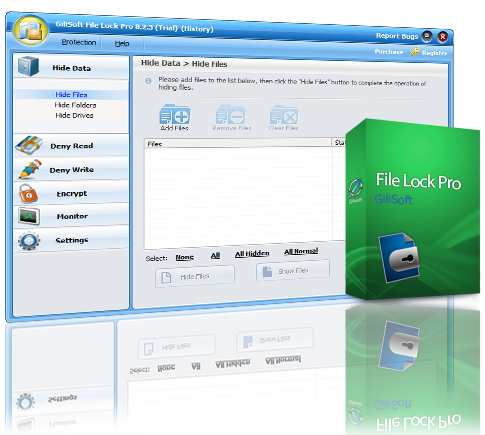
Gilisoft 2 in 1

File Lock Pro
Gilisoft File Lock Pro protects your files, folders and disk drives in an Easy and Secure Way.
GiliSoft File Lock Pro is the most advanced and easiest data protection tool.
With this program, nobody can access or destroy your private data without password and you will never worry about data theft by malicious behavior and privacy leaks on shared computer.
This data security software can restrict access to files folders and drivers: encrypt files, folders; hide files folders and drives to make them completely invisible; make files folders and drives read only; or password protect files folders and drives.
Hide Files/Folders/Drives
Make your private files/folders and drives completely invisible to anyone or any programs even under Windows Safe Mode.
Deny Reading Files/Folders/Drives
Locked files/folders or drives can’t be opened, read modified, renamed, moved, deleted, copied without password.
Deny Writing Files/Folders/Drives
People can read the write-protected files/folders or drives, but can not modified, deleted, or renamed it without password.
Monitor Folder Changing and Write Log
Monitor a disk or a folder and its sub-folders when any operations or changes make by a user.
Powerful Self-protection Mode
Nobody can uninstall this software without password and you can hide this program in Invisible Mode.
When someone enters wrong password more than 5 times, it will send alarm notifications to your pre-defined e-mail and the unknown login will be temporarily banned.
Encrypt Data & Portable Version
Encrypt files and folders into an .exe file with AES encryption algorithm. After encryption, you can also open encrypted files or folders on other computer.
Safe Delete (File Shredder)
Remove sensitive data by overwriting it several times and make it unrecoverable.
Easy to Use
With it you can use one password to Protect File Folder & Drive.
You can lock a file or folder with windows explorer context menu or simply dragging and dropping it into the program’s main window.
When forget password, you can find lost password with your pre-defined e-mail.
++++++++++++++++++
GiliSoft USB Lock is a data leak prevention tool that prevents leakage and copy of your data to USB Drives (Android phone/iPhone), External Drives, CDs/DVDs or other such portable devices.
Once installed, USB Lock lets you block all such drives and devices that do not belong to you.
USB Lock can stop stealing or hacking and you can share your PC with anyone without fear of data theft.
This is an easy USB Secure Software and powerful Endpoint DLP Suite that helps you to lock usb port,make dvd/cd burner read-only, block some websites, forbid some programs and disable more devices.
Block USB/SD Drives
Disable reading from USB/SD disks or disable writing to USB/SD disks.
It doesn’t allow any type of USB/SD drive to access your computer unless you authorize it or it has been in trusted devices White-list.
CD Lock,Block Media & Blu-ray Discs
Disable reading from DVD/CD discs or making DVD/CD burner read-only. This application also blocks any disc that uses the disk hub, bay, combo or CD/DVD drive and allots a drive letter.
Trusted Devices White List
You can create a whitelist to allow 'certain approved' USB pen drives. Then it will block all USB drives except the ones in the white-list.
USB Monitor
Monitor all file operation (like create delete files ) on all USB disks that connected to your computer.
Website Lock
Block accessing some websites. This utility allows you to block unwanted websites from display in Internet Explorer. If a website is blocked the user is forwarded to a blank page or to a "blocked page" and the contents of the original page are not loaded on your PC.
Devices Lock
The program can be used to restrict read or write access to removable media devices such as CD, DVD, floppy, SD Card Readers, flash and USB drives. It also can be used to disable iPhone, Android phone, printer,modem, com lpt ports,infrared, blue-tooth, 1394 ports.
Programs Lock
Block running any programs, including IE, Outlook, AOL, AIM, Dropbox, and more. You can even lock your control panel with one button click.
Powerful Self-protection Mode
Nobody can uninstall this software without password and you can hide this program in Invisible Mode. When someone enters wrong password more than 5 times, it will send alarm notifications to your pre-defined e-mail and the unknown login will be temporarily banned.
Copy Protection
The program uses an advanced level of data leak prevention technology that does not permit duplication of your important files and copyright material to any USB drive or other such storage devices without your permission.
Data Leak Prevention
It prevents your data from getting leaked out to USB drives and other such storage devices by letting you control which device can access your computer while blocking all other unauthorized devices that do not belong to you.
- Eingetragen
- 15.06.2016
- Kinostart
- nicht angegeben
- Größe
- 9,54 MB
- Kategorie
- Appz — Windows
- Passwort
- 2016.DnzucT-iT.2016