 3
3 3
3 6
6 3
3 6
6 4
4 3
3 3
3 3
3 2
2 6
6 3
3 3
3 3
3 3
3 3
3 3
3 3
3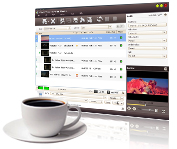
Video Converter Ultimate 3 in 1 Multilingual

Features:
NVIDIA CUDA & AMD APP Technology
Introduce NVIDIA CUDA & AMD APP technology to level up the converting speed to a large degree.
Support 3D Conversion
Normal video can be converted into 3D video, or in a variety of 3D formats.
Merge Files & Add Transitions
Merge several video files or pictures and add different transitions between every two files for uninterrupted enjoyment.
Clip Video to Get Segments
Video Converter Ultimate lets you clip a video file to obtain your favorite parts from it, then either merge and output them together or output them individually.
Auto-Split Large Video File
Split a large file into several so you can fit them onto a CD/DVD disc; or split the file according to duration or size you want.
Transfer Output Files to Devices Directly
This video file converter allows you to transfer the converted files to iPod,ipad, iPhone(even the newest iPhone 4) or PSP directly after conversion.
Add Multiple Subtitles
Add subtitle files (ASS, SSA or SRT format) to a video file; adjust subtitle transparency, position and delay time.
Add Multiple Soundtracks
Add multiple soundtracks in different languages to a video file.
Crop Video Frame Size
Specify height and width of the area to crop to remove unwanted bits from a video frame.
Adjust Video Effects & Add Special Effects
Adjust video brightness/contrast/saturation; choose from dozens of special effects such as old film, shadow, sand and many more.
Add Video/Picture/Text Watermarks
Add multiple video, picture and text watermarks to a video to mark it as your own; adjust their relative positions.
Preview Applied Effects
Preview the original and the edited video with effects added in two preview windows abreast for easy comparison.
One Source, Multiple Outputs
Convert a file into multiple formats simultaneously for playback on a variety of devices.
Optimized Conversion Profiles
Offers a wide range of conversion profiles with optimized parameters classified by device type so you can find the most suitable solution quickly and easily. Change the parameter settings of an existing profile and save it as your own.
Define Output File Size
Enter the required output file size and calculate the corresponding bit rate with the Bitrate Calculator when converting video files.
Many video/audio/picture parameters for you to adjust such as start time, duration, video/audio/picture quality, channel, capture interval and ID3 tag info. Advanced parameter settings are available for expert users.
Multithreading, Background Operation
Set the core number and max simultaneous tasks to execute the AVI to MPEG, WMV to MPEG and WMV to AVI video conversions at the same time. Run the conversions in the background to free up CPU resources for other applications.
Faster Speed, Simpler Operations, Better Quality, More Functions
Multi-core CPU support; concise interface; professional encoding/decoding techniques
Languages: English, German, Chinese, French and Japanese.
- Eingetragen
- 30.10.2015
- Kinostart
- nicht angegeben
- Größe
- 107,77 MB
- Kategorie
- Appz — Windows
- Passwort
- 2015.FsucT-iT.2015