 3
3 3
3 6
6 3
3 6
6 4
4 3
3 3
3 3
3 2
2 6
6 3
3 3
3 3
3 3
3 3
3 3
3 3
3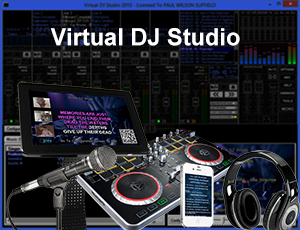
Virtual DJ Studio 7 2 4

Virtual DJ Studio redefines the concept of DJ and Karaoke software on the PC.
VDJ offers features you simply will not find in other programs.
Virtual DJ Studio is not like all of the other DJ programs out there. While other programs limit you to two players with a Cross-Fader, Virtual DJ Studio provides you with an entire studio.
Exclusive app-based control and customer song requests make Virtual DJ Studio stand out above the rest!
Virtual DJ Studio gives you a mixer-board interface. Each line offers things you would expect from a typical mixer -- volume fader, mute, crossfader assignment, etc. Additionally, each line contains an MP3/WAV/Karaoke player, with all of the controls you might expect -- including a Pitch/Tempo control. If you have two or more sound cards/audio devices, you can route any line to your secondary device, for headphone preview or beat-matching. Alternatively, you might use this feature to simply allow more control with your external mixer.
Playlist Support
You can load up a playlist full of music, set the Auto-Crossfade button, and simply let VDJ mix your music.
Full Karaoke Support
The days of hunting down a Karaoke CD, finding the right track, and having only one or two singers queue'd up are gone! With a Laptop, you can replace not only your CD players; you can eliminate the need for cases of CDs, and take up less space than you ever imagined!
Supported Karaoke Formats
You can either play an MP3 that has a corresponding .CDG file, or you can play directly from a ZIP file. VDJ does this directly, with no need to create temporary files (like most other programs do). VDJ is the only Karaoke system that lets you seek while directly playing a ZIP or MP3 file, without ever losing sync!
No other Karaoke package delivers this many features.
Singers List
Even though VDJ looks different from other Karaoke programs, it still contains a Singer's List feature. When enabled, you can queue up any number of songs, along with the name of the person who wishes to sing it. From there, you can drag a song into a line in VDJ, or simply double-click to launch the file in the first line. VDJ will also display a list of singers/songs in the CDG window when no karaoke file is being played (for example, if your CDG window is connected to a second monitor, television, or multiple TVs, your patrons will know who's up next, and when their song will be up).
Easy to Use
Don't be intimidated by the number of buttons you see in the picture. If you have a knack for audio equipment, you will quickly pick up on VDJs use. VDJ comes with a complete Help file, including a Getting Started guide that will have you mixing MP3s in no time!
Headphone Support
VDJ allows you to use an extra sound card for CUEing, or Previewing, a sound file. You can use this feature to assist with beat-mixing (fading two songs together on-beat), or for simply previewing a song before playing it live. Many DJs use their laptop's built-in sound for previewing (since the quality of the internal sound chip is often lacking), and an external USB audio device for their main mix. This configuration allows you the flexibility you are used to with dual CD decks and an external mixer; just like a real mixer, enabling the CUE button routes that line to the headphone output (eg, to your Secondary Sound Card).
- Eingetragen
- 02.10.2015
- Kinostart
- nicht angegeben
- Größe
- 19,07 MB
- Kategorie
- Appz — Windows
- Passwort
- 2015.AxucT-iT.2015