 3
3 3
3 6
6 3
3 6
6 4
4 3
3 3
3 3
3 2
2 6
6 3
3 3
3 3
3 3
3 3
3 3
3 3
3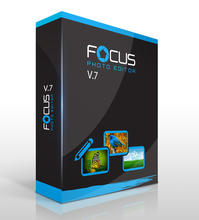
Centurybyte Focus Photoeditor 7.0.5

The easiest to use yet the most powerful photo correcting tool, with a plethora of professional options to make your pictures look just the way you want.
With Focus Photoeditor you do not have to guess any more in your photo correction approach.
Just use its automatic fixes and have your photos transformed into gems of color and brightness.
Or control manually the edits with many professional tools.
Focus Photoeditor uses fine-tuned and preserving algorithms, to recover brilliancy out of even the worst digital picture.
The very gem of Focus Photoeditor, is the "Quick-Fix" algorithm.
It allows anyone to correct their photos with a single click.
But our image editor is much more than just fixing and correcting photos, it has any tool you may need for general editing, it includes also layers and a huge selection of filters and selection modes, and can be expanded with many photoshop compatible plugins.
New Major Version 7:
So many improvements and so many new features, to make the new version the most usable, fast and powerful Focus Photoeditor ever.
Version 7.0 interface was improved in many respects and it is now even faster to use and more intuitive.
We have added 5 automatic corrections the HDR Auto Enhancements, several vintage-like filters, manual and auto Dehaze, ability to batch process with photoshop compatible plugins in both automatic and manual modes, added several other manual and automatic corrections and reworked tens of existing corrections to make them even more effective and give better results.
One of the major improvement over version 6 is the greatly improved speed of almost every correction and filter.
Some were improved by 500%.
A new Focus Photoeditor proprietary Project Format (fpp) now will include everything into a single file (before it was split in two files).
Compatibility with the old format has been kept, so you can load your old projects as well.
Now you will be able to create as many groups of layers as you like.
And there are quite a lot of things you can do with the layers in the same group.
For example when rotating, or resizing a layer, you will be asked whether you want to apply this to all layers in the group or only the current one.
- Eingetragen
- 31.07.2015
- Kinostart
- nicht angegeben
- Größe
- 47,68 MB
- Kategorie
- Appz — Windows
- Passwort
- 2015.GeT-iT.2015